1)To find your referral link, first log in on youngevity.com
2) Once logged in you will be re-directed to your dashboard (you can also get there by clicking the “person” icon in the top right hand corner of the site
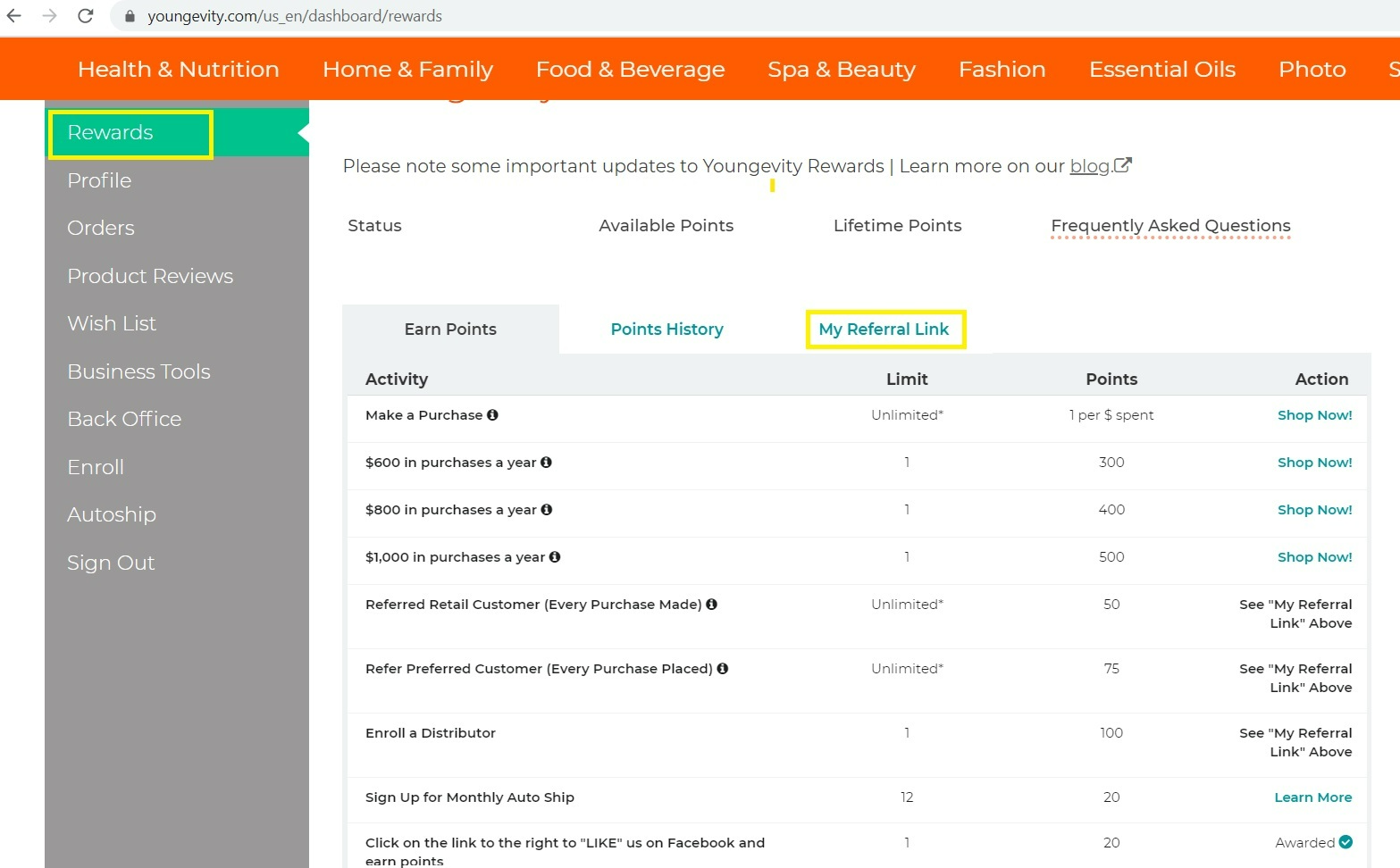
3) Once on your dashboard you will see a “rewards” tab. You will want to click on this.
4) Once on your Rewards page, you will see “my referral link” towards the top middle of the page. You will want to select this. (see screenshot for reference)
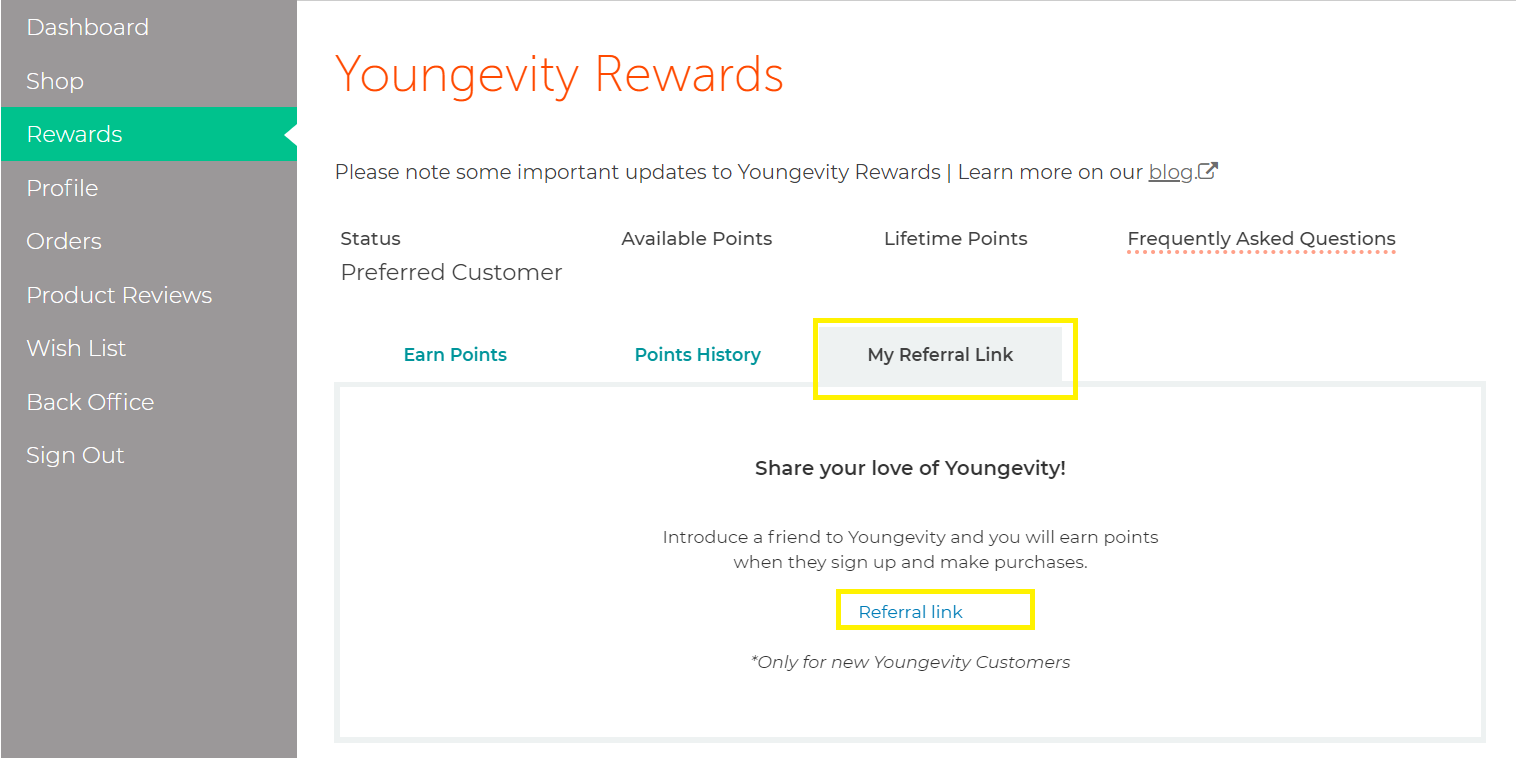
5) Once you have selected “my referral link” a pop up will appear with a link in blue text for you to click to obtain your personal link
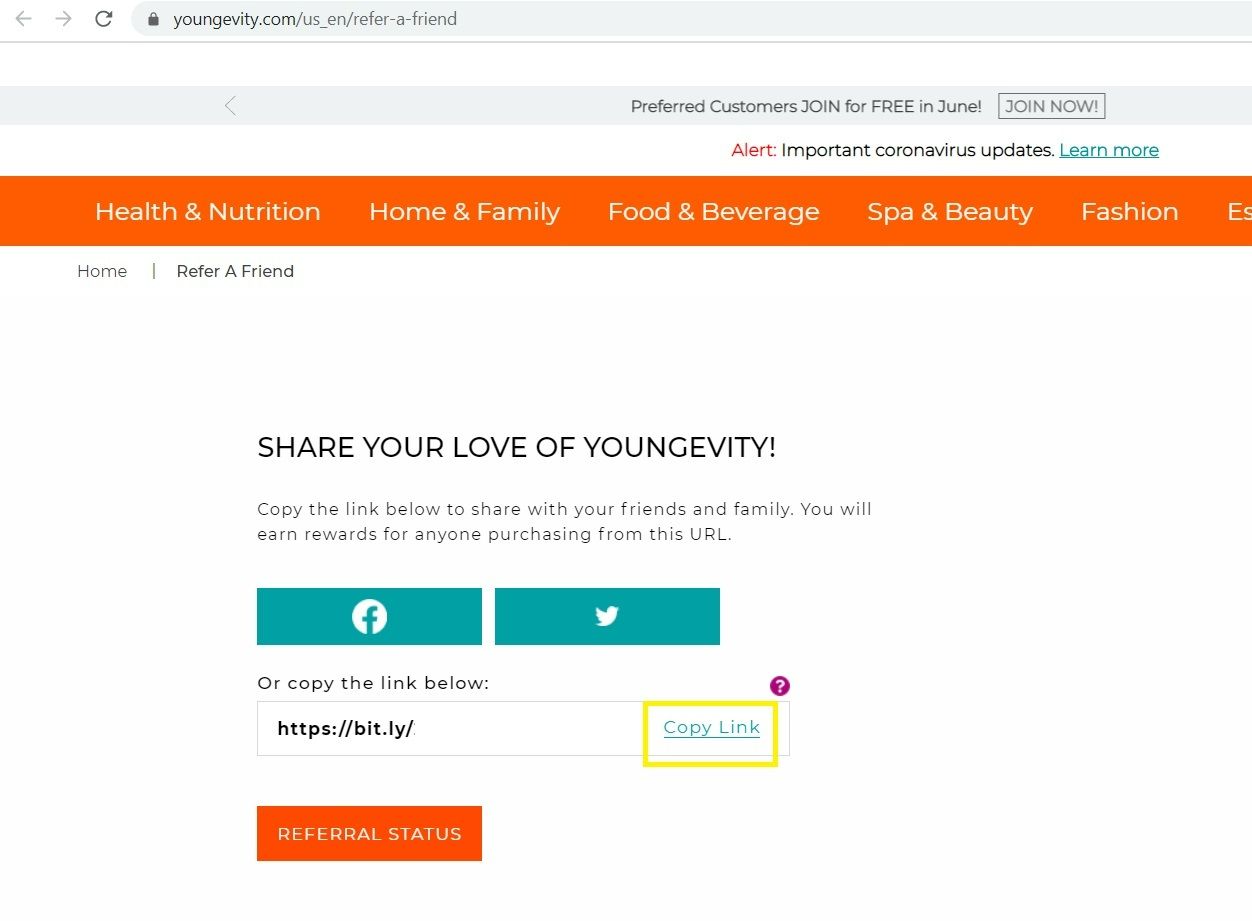
6) After you select the blue text as shown above you will be directed to a page where you are given your referral link. ( See screenshot below. Please note part of the link is edited out for privacy purposes). You are able to copy the link, or share via social media.
Was this article helpful?
That’s Great!
Thank you for your feedback
Sorry! We couldn't be helpful
Thank you for your feedback
Feedback sent
We appreciate your effort and will try to fix the article