1) First you will want to log in on youngevity.com
2) Once logged in you will be re-directed to your dashboard (you can also get there by clicking the “person” icon in the top right hand corner of the site
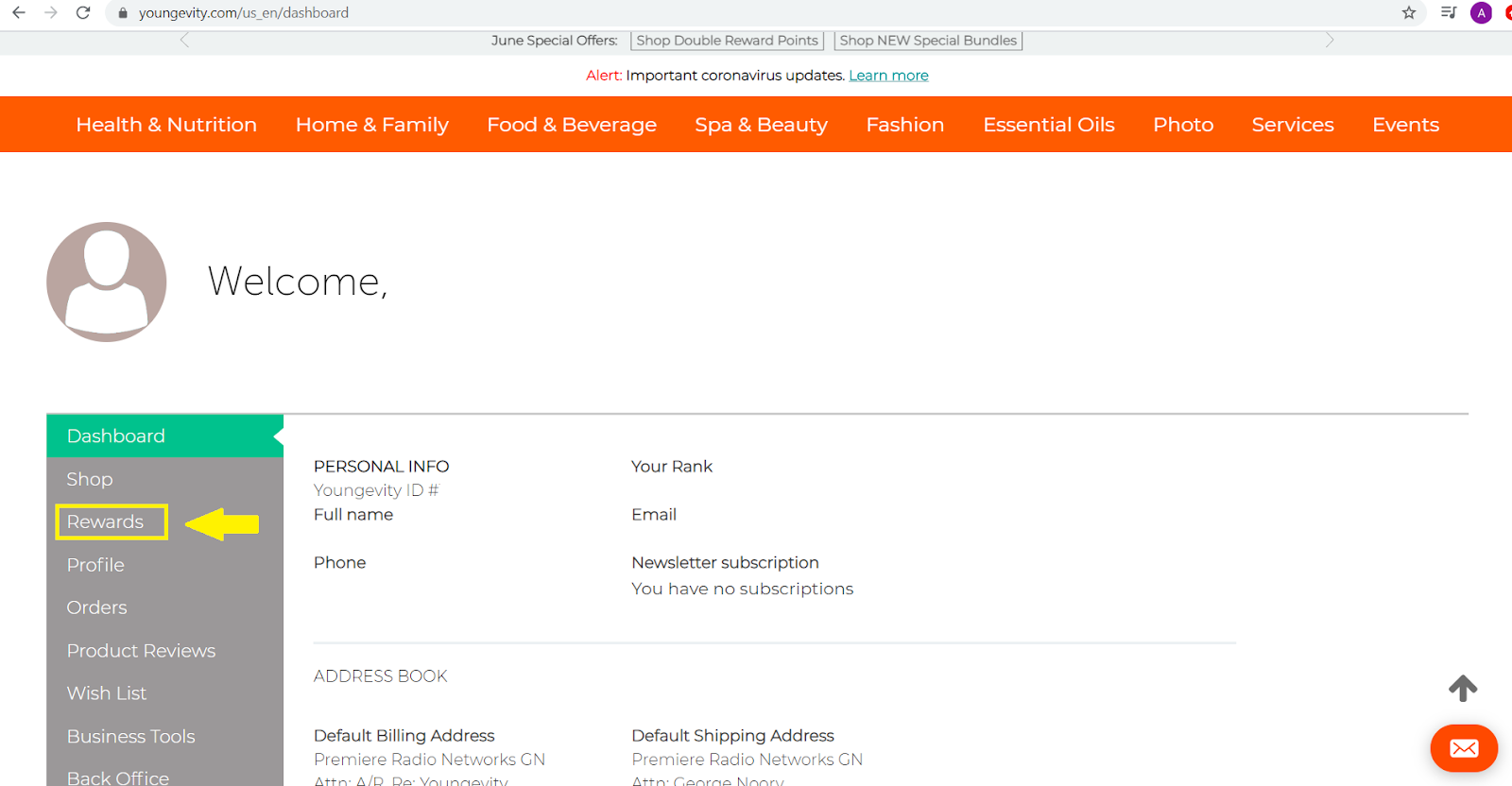
3) Once on your dashboard you will see a “rewards” tab. You will want to click on this.
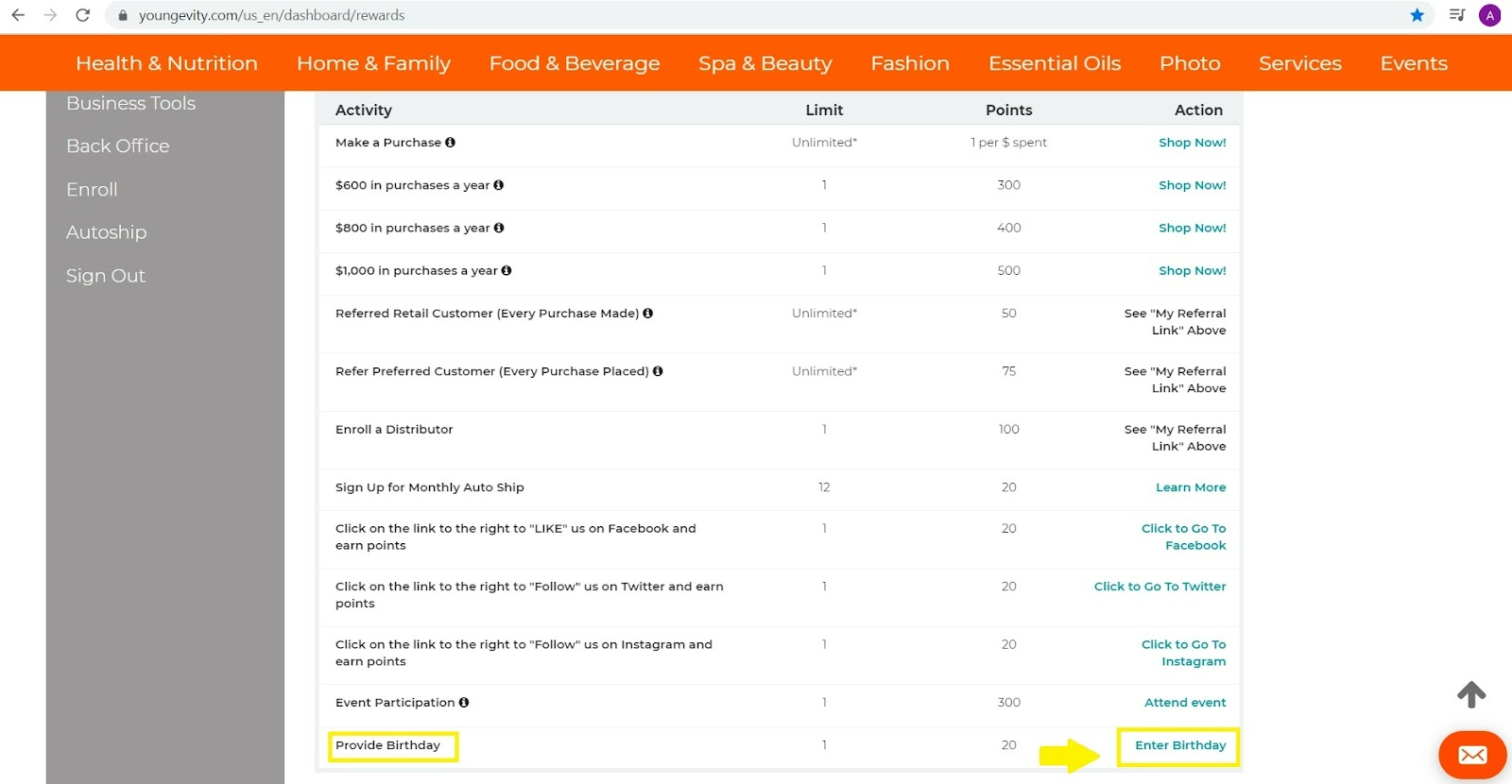
4) Once on your Rewards page, you will see a list of actions on the right hand side that you are able to do. You should see “ Enter Birthday” towards the bottom rightof the page. You will want to select this. (see screenshot for reference)
6) Once you click on “enter birthday” a pop up should come up as in the screenshot below that allows you to enter this information.
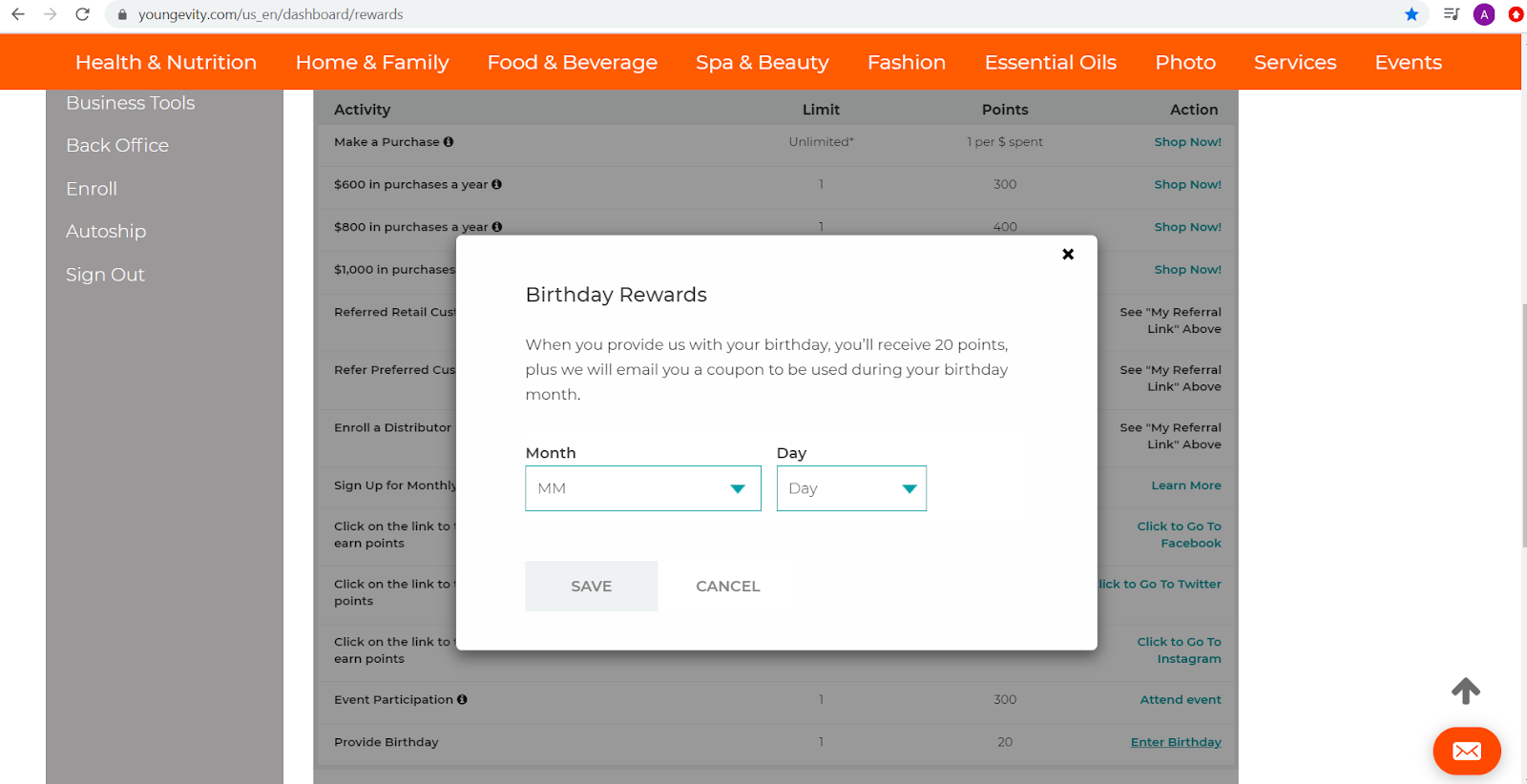
7) Be sure to hit the “save” button once you are finished to ensure this is updated.
Please also note that you will not receive a birthday coupon to your email, unless it has been entered in this section (adding your birthday in the back office does not update to the Rewards system).
Was this article helpful?
That’s Great!
Thank you for your feedback
Sorry! We couldn't be helpful
Thank you for your feedback
Feedback sent
We appreciate your effort and will try to fix the article