1) First you must be logged into your account on youngevity.com
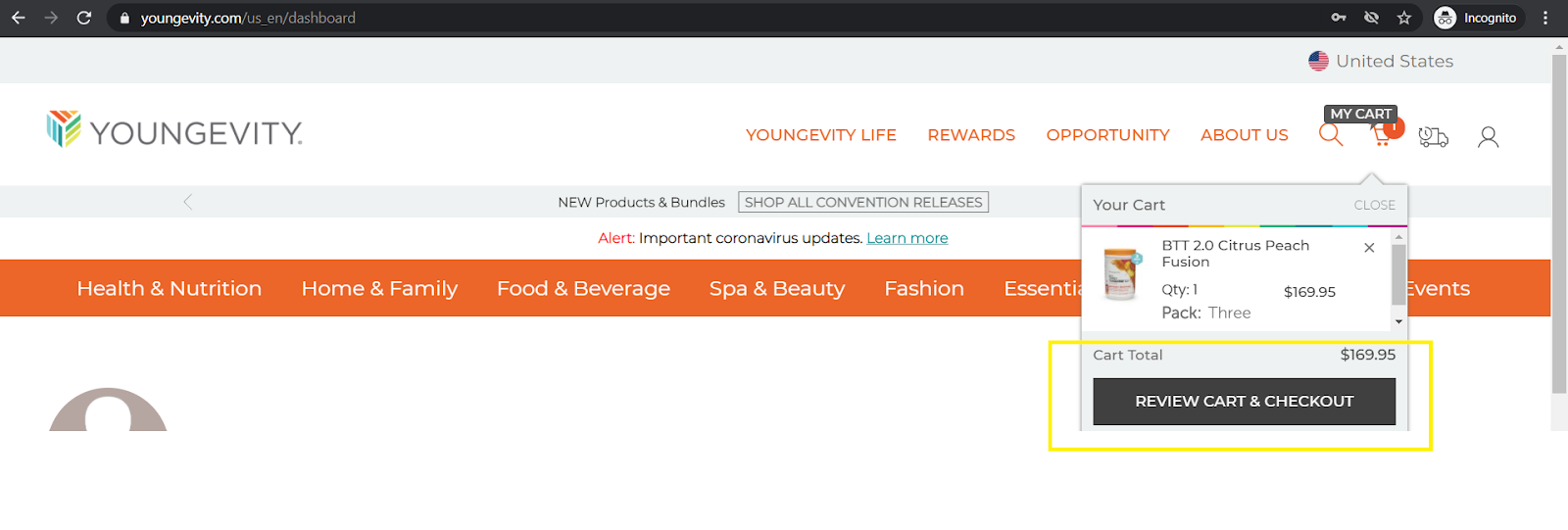
2) Once you have added the items to your cart that you would like to purchase, click on the cart in the top right hand corner.
3) Once the drop down appears , click the “Review cart & checkout” tab.
4) Once at your cart, if all looks well, you will want to select the “checkout” tab
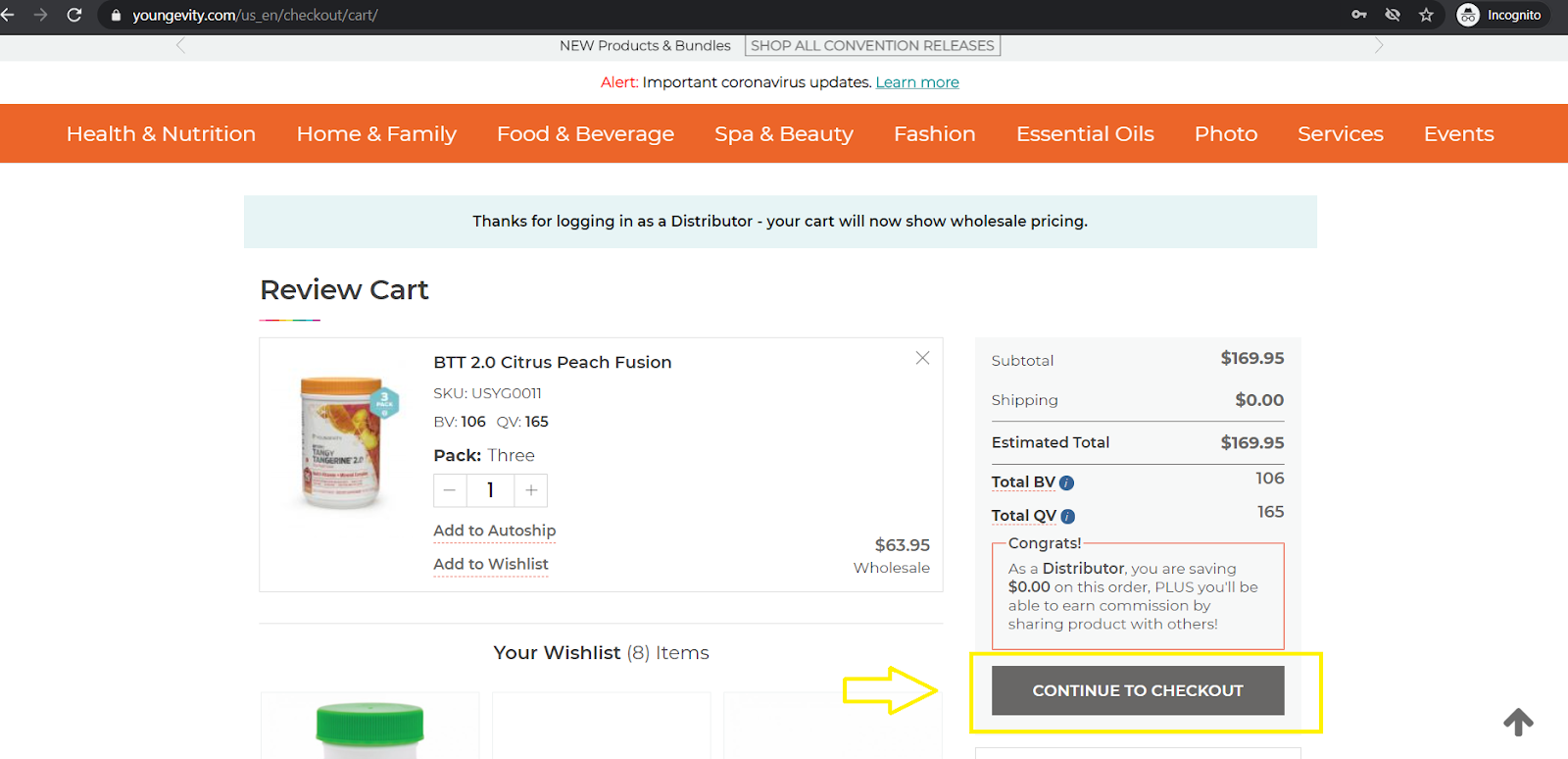
you will need to enter your shipping information and click the “next” button located at the bottom.
5) Once checking out, you will enter your billing and shipping information (located on the left of the page) and then be sure to add your coupon on the top right.
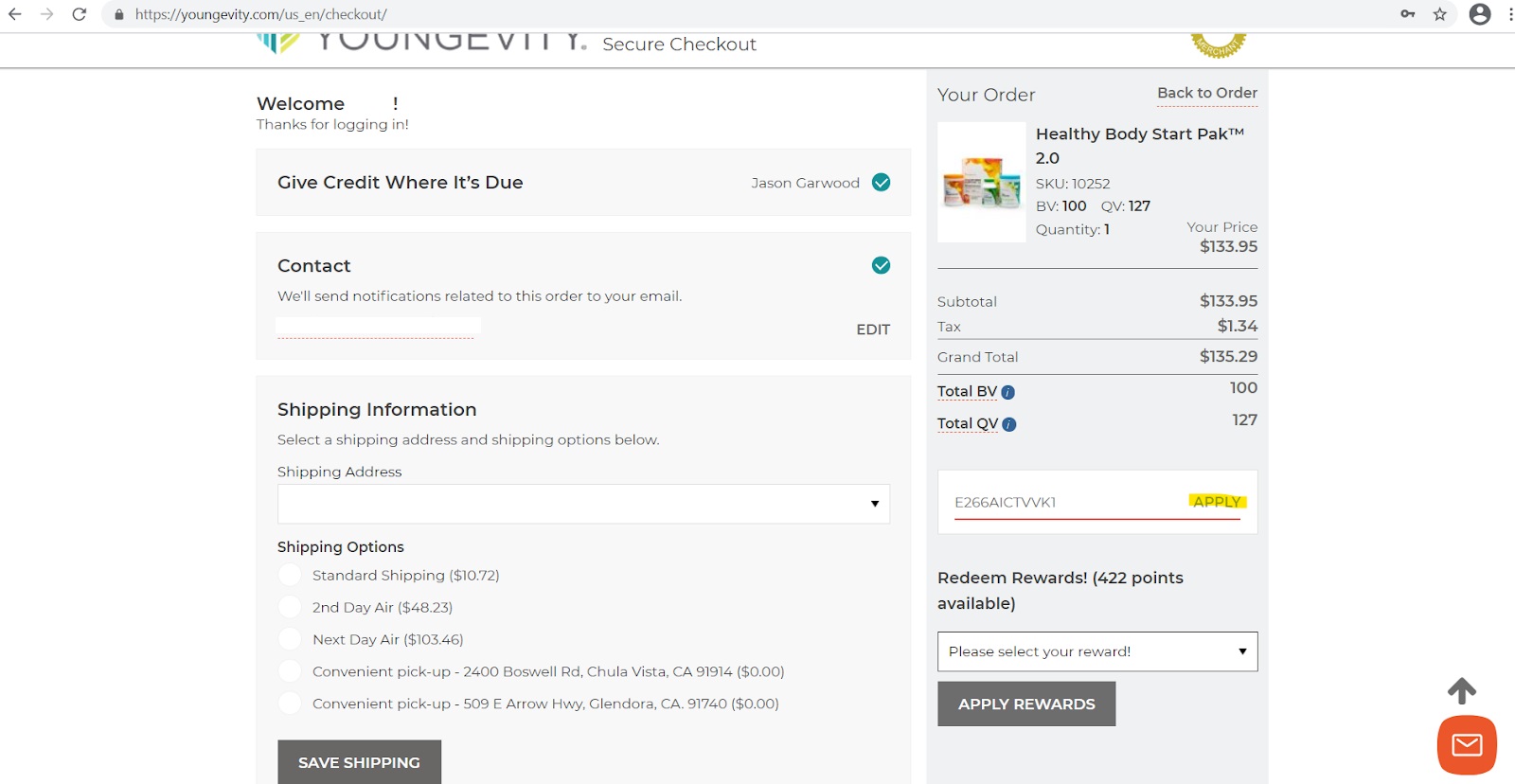
6) Note that when entering your coupon, that you must select the “apply” tab or else your coupon will NOT be applied. You can check this by looking at your total and seeing your discount once points have been applied.
7) Once you have filled out your information on checkout you are able to select the “place order” tab to complete the purchase.
Was this article helpful?
That’s Great!
Thank you for your feedback
Sorry! We couldn't be helpful
Thank you for your feedback
Feedback sent
We appreciate your effort and will try to fix the article